App for employees
ezze · Staff
Seller, storekeeper, technician, courier, doctor — everyone gets their own ezze screen on the phone. Camera barcode scanner, photos, works over Wi-Fi and the internet.
Download for Android
version 1.1.1 · 0,8 МБ
iPhone: no app needed — point the camera at the QR code in the program and the screen opens in the browser (shop Wi-Fi only).
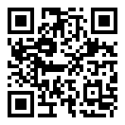 Point your phone camera — the app will download
How to install — 3 steps
1
Download and open the file
Android will ask “Allow installs from this source?” — allow it. If Play Protect warns you — “Install anyway”.
2
On the computer — “Connect”
In the ezze program: “Settings → Staff screens → + Connect a phone or tablet”, choose the role and the employee — a QR code appears.
3
Scan the QR code
In the app tap “Scan QR code” and point the camera at the computer screen. Done — from now on just open the ezze icon.
Good to know
- When connecting, the phone and the computer with the program must be on the same Wi-Fi.
- Outside the shop the app works over the internet if “Also work over the internet” is ticked in “Staff screens”.
- The app rarely needs updating: screens update together with the program on the computer.
- An employee left — disconnect their phone in “Staff screens” and the screen stops opening.